

Pharmacy billing software for medical shops and pharma wholesalers
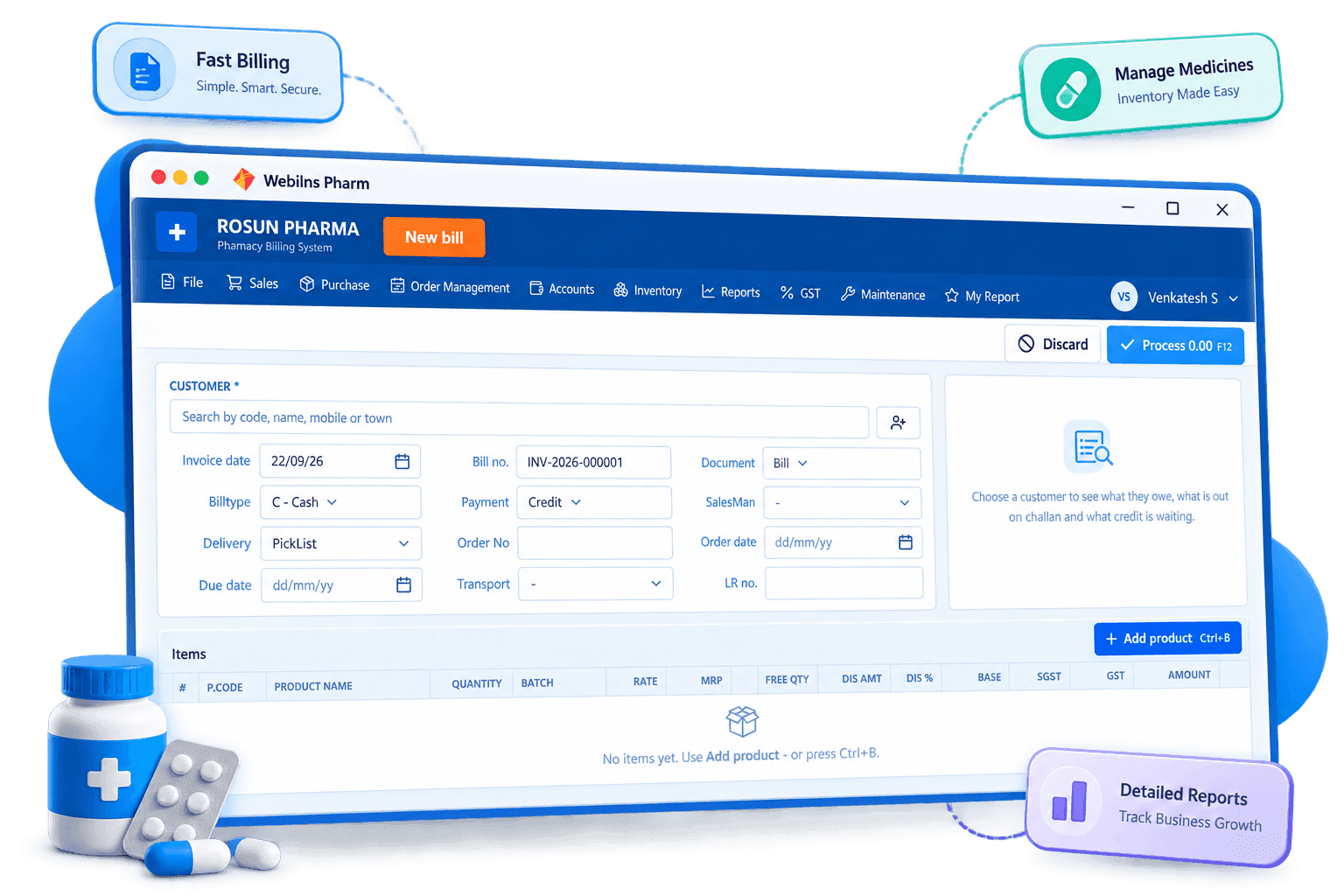
What is pharmacy billing software?
It is billing and stock software made for the way medicines are bought and sold. Every medicine carries a batch number, an expiry date, an MRP and an HSN code, and is often sold in a different unit than it was bought in. A general billing tool ignores all of that.
Webilns Pharm keeps these details on every line of every bill, so your counter bills quickly, your wholesale invoices carry the batch and expiry your customers need, and your stock stays correct batch by batch.
Sri Balaji Medicals
DL No. TN-02-20B-0000 · Bill #R-3082
| Medicine | Batch | Exp | Qty | Amount |
|---|---|---|---|---|
| Paracetamol 650 Tab | PC2417 | 03/28 | 2 strip | 64.00 |
| Amoxicillin 500 Cap | AM1190 | 11/27 | 1 strip | 118.50 |
| Cetirizine 10 Tab | CZ0832 | 07/27 | 5 tab | 17.50 |
| ORS Sachet 21g | OR5521 | 01/28 | 4 pcs | 84.00 |
Why a medical shop needs its own billing software
These are the problems pharmacy owners tell us about most often.
Long queues at the counter
Searching a register or a slow screen for one strip keeps five customers waiting behind the first.
Stock that quietly expires
Without batch-wise expiry dates, near-expiry medicines sit at the back of the rack until they can only be written off.
Credit that is never collected
Chemists and hospitals buy on credit, and without bill-wise outstanding the follow-up never happens on time.
Retail and wholesale in two books
Running the counter in one tool and the distribution side in another means stock figures never match.
Features built for pharmacies
Sales, purchase, stock, accounts and GST — the modules your counter actually uses every day.
Bill, DC and proforma entry
Bill entry on Ctrl+B, DC bills, proforma and sales returns on Ctrl+C. Modify, cancel and reprint any bill with the change recorded.
Batch & expiry control
Every batch carries its expiry, rate and MRP. The Batches & Expiry screen and expiry reports show what is about to go bad before it does.
Purchase, returns and supplier DC
Purchase entry on Ctrl+I, purchase returns on Ctrl+D, supplier DCs, transit entries and a purchase register for every supplier.
Outstanding and collections
Customer outstanding, collection reports, supplier payables and credit / debit notes with their status tracked bill by bill.
Stock control and adjustment
Stock adjustment and correction, location-wise stock, stock value and movement, non-moving and nil stock reports.
Order management
Reorder-point based ordering, order based on sales, auto min-max and purchase order approval for distributors.
Sales reports that matter
Daily and monthly sales, area, customer, manufacturer, product and sales-rep wise reports, bill-wise margin and wanted book.
GST registers and returns
GST input and output registers, HSN-wise sales and purchase, GST breakup summary for 3B, GSTR-1 and GSTR-1 summary.
One stock for your counter and your wholesale business
Sell to walk-in customers and to chemists, hospitals and distributors from the same system. A sale on either side reduces the same batch.
At the retail counter
- Quick counter billing with keyboard hotkeys
- Rack master so staff find the medicine on the shelf
- Cash, credit and card bill types in one counter
- Day end closing for each counter
- Bill layout and numbering set the way you print
For wholesale & distribution
- Customer range master for party-wise rates
- Sales rep, area and route masters with commission reports
- DC bills, proforma and transport details
- Bill-wise outstanding, collections and payables
- Batch and expiry printed on every invoice line
How pharmacy billing works in Webilns
From install to your first medicine bill in an afternoon.
- 1
Install on Windows
Run the installer, log in with your user and PIN. The pharmacy modules are ready.
- 2
Fill company settings
GSTIN, drug licence, bill numbering, print layout and user roles.
- 3
Load your masters
Products, manufacturers, divisions, suppliers, customers, racks and taxes.
- 4
Enter purchases
Purchase entry brings in stock batch by batch with expiry, rate and MRP.
- 5
Bill at the counter
Bill entry picks the batch, applies the customer rate and prints.
- 6
Close and file
Day end, outstanding follow-up, stock reports and GSTR-1 / 3B from your own data.
Who uses Webilns pharmacy billing
Set up for the size and type of your medicine business.
Retail medical shops
Counter billing, batch-wise stock and expiry control for a single store.
Pharmacy chains
Multiple users, roles and locations with an audit log of every change.
Pharma wholesalers & distributors
Party rates, sales reps, DC bills, outstanding and purchase orders.
Hospital & clinic pharmacies
Customer-wise bills, credit notes and daily sales for in-house counters.
Bills even when the internet doesn't
Webilns Pharm runs on your own Windows computer. Your data stays with you and the counter keeps billing through outages.
Users, roles and an audit log
Give each staff member their own login and role. Rate changes, bill edits and cancellations are all recorded.
Billing without the mouse
Ctrl+B for a bill, Ctrl+I for a purchase, Ctrl+C for a return. Staff work straight from the keyboard, so the queue keeps moving.
Frequently asked questions
Can I use Webilns for both retail and wholesale medicine billing?
Yes. Counter bills, DC bills and proforma invoices all run in the same app and draw from one stock, so retail and wholesale figures never drift apart.
Do I need internet to bill?
No. Webilns Pharm is installed on your Windows computer and bills fully offline. Your data stays on your machine.
How does expiry tracking work?
Batch number, expiry, rate and MRP are saved during purchase entry. The Batches & Expiry screen and the expiry reports list what is near expiry so you can return it in time.
Can I search a medicine by its composition?
Yes. Composition and strength are saved on the product master, so staff can offer a substitute when a brand is out of stock.
Does it handle customer credit?
Yes. Customer outstanding, collection reports, credit and debit notes and their status are built in, along with supplier payables on the purchase side.
Is it GST compliant?
Yes. GST input and output registers, HSN-wise sales and purchase, the 3B breakup summary and GSTR-1 are generated from your own bills.
Does the software work in Tamil?
Yes. Each user can switch the interface between Tamil and English.
What computer do I need?
Windows 10 or 11, 64-bit, with at least 4 GB RAM. A thermal printer and barcode scanner are optional but recommended.
Start billing medicines the right way
Install Webilns Pharm and raise your first batch-wise bill today.